
No-Code Forms
Drag & Drop Form Builder
Easy File Uploads
Image & Asset Uploads
Approve or Reject
Approve or request edits
Built by designers, for designers
Stop chasing clients for website content
One link. They drop everything you need. You start designing.
No expired WeTransfers. No email chains. Just the copy, images and assets, organised in one place.
Email Notifications
Automatic follow ups
AI Copy Assist
Clients write better copy
No Missing Assets
One click downloads
Core Features
Content collection for busy designers.
Stop juggling emails, expiring links and messy folders. ContentCatch was designed for website designers and creative teams to collect and manage client’s content.
Branded Client Intake Forms
Create submission forms clients trust.
Build structured intake forms that guide clients step-by-step, so you get everything you need the first time.
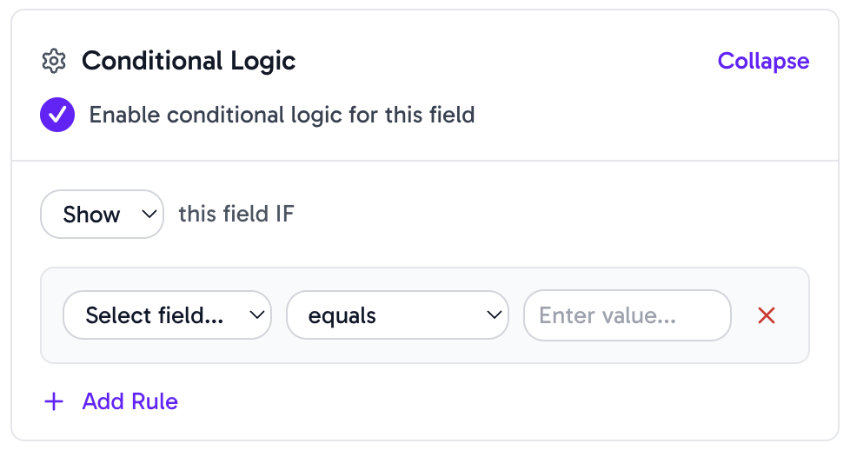
Customize fields, add conditional logic, and tailor questions for each project type. Whether it’s a landing page, blog content, or full website build, your clients always know exactly what to provide.
Smart File Organization
All client content automatically sorted.
Grab the whole project as a ZIP when you’re ready to start, or pull individual files as you need them.
Client Dropzones allow you to provide a permanent space for clients to upload files or send personal notes at any time.
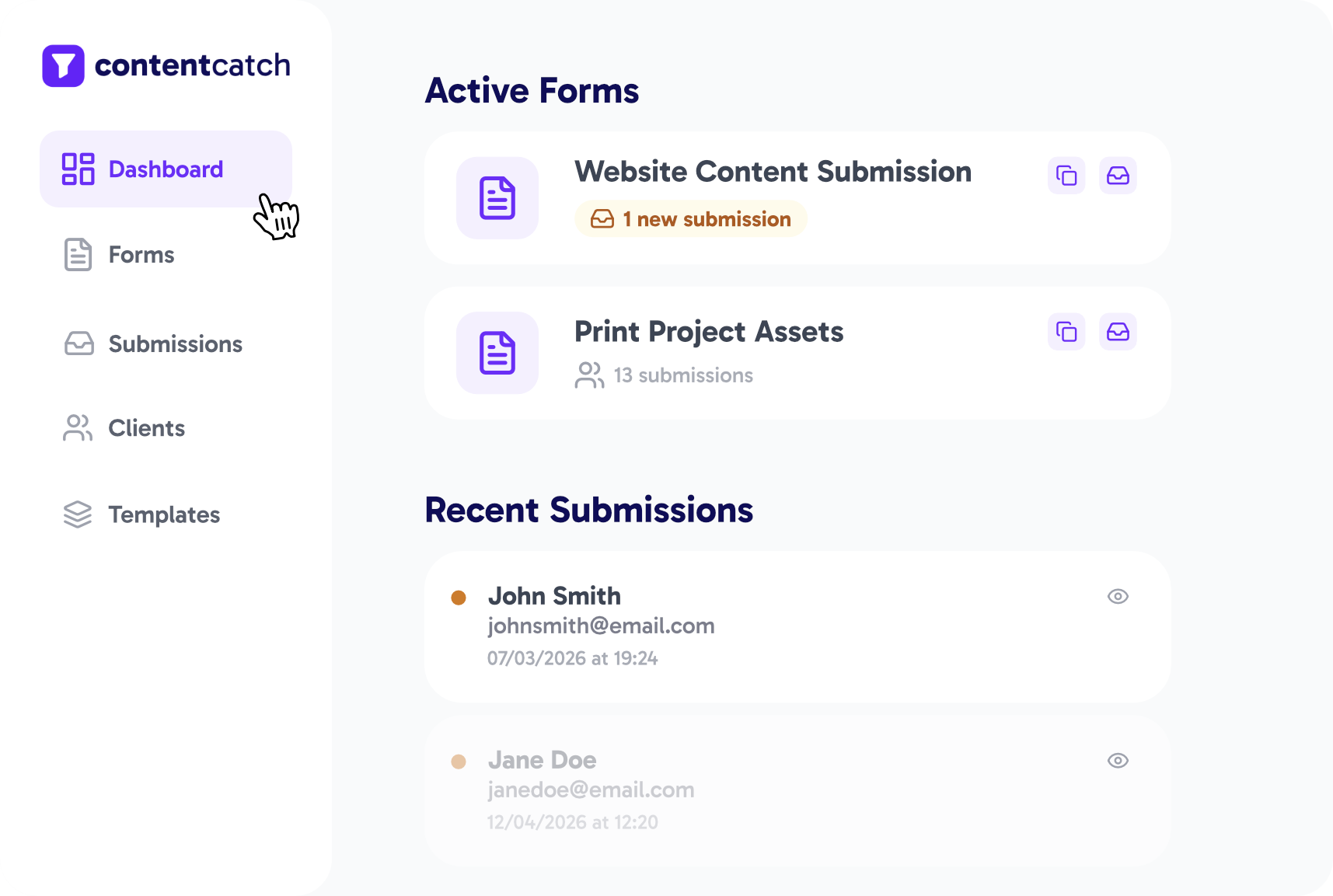
Approve or Reject Submissions
Review content without the email threads.
Review submissions and provide feedback. Approve content in one click or request revisions with built-in email notifications.
Keep everything documented in one place streamlining the feedback process and and eliminating back-and-forth emails.
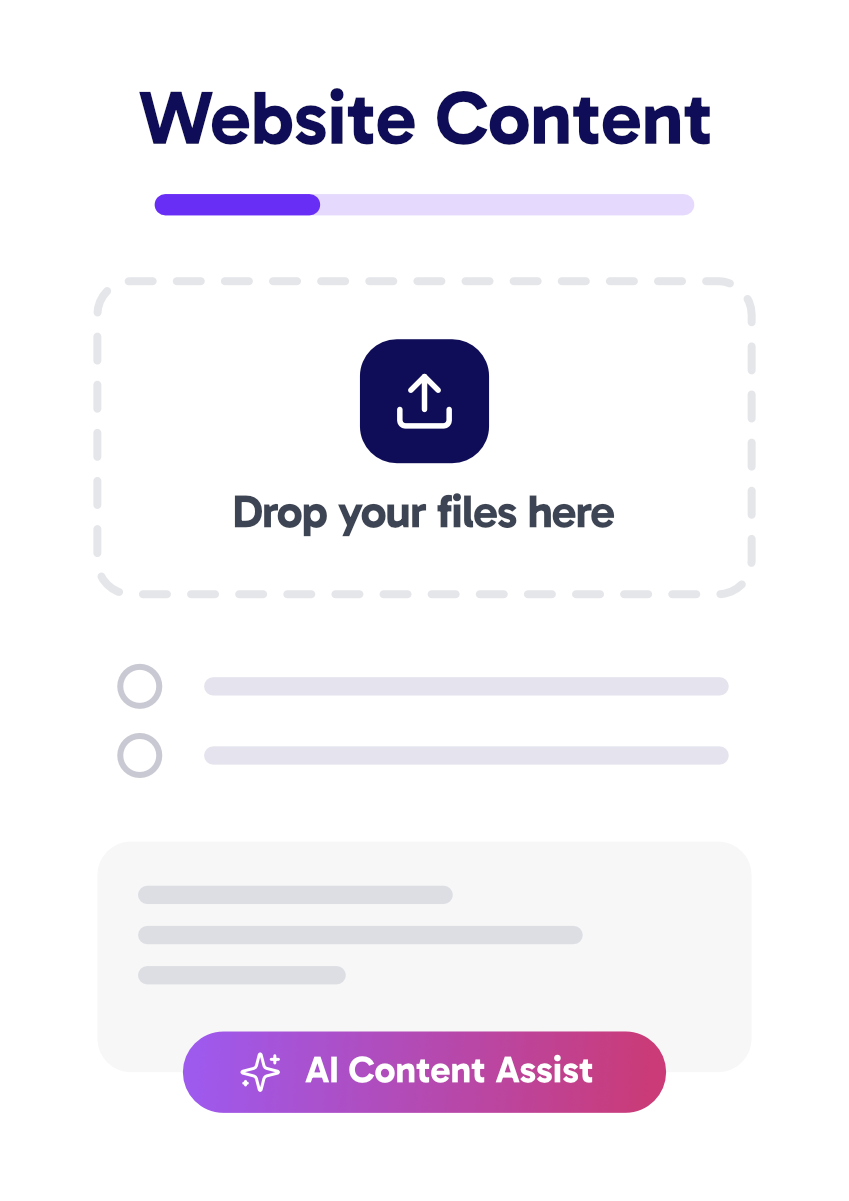
AI Content Assistant
Help clients write better copy instantly.
Clients can use the power of AI Content Assist to transform rough inputs into structured drafts, outlines, and refined copy. Whether it’s landing pages, blogs, or product descriptions.
Set tone / context upfront, clients get professional suggestions, rewrites, and formatting help.
Designer-First Intake Forms
Create. Send. Collect.
Create beautiful intake forms, send them effortlessly, and collect client content in one clean, organized system.
Ask for exactly what you need
15+ powerful field types designed specifically for creative workflows.
- Text
- Rich Text
- File Upload
- Checkbox
- Radio
- Dropdown
- Phone
- Signature
- Color Picker
- Date
- Number
- URL
- Heading
- Multi Step
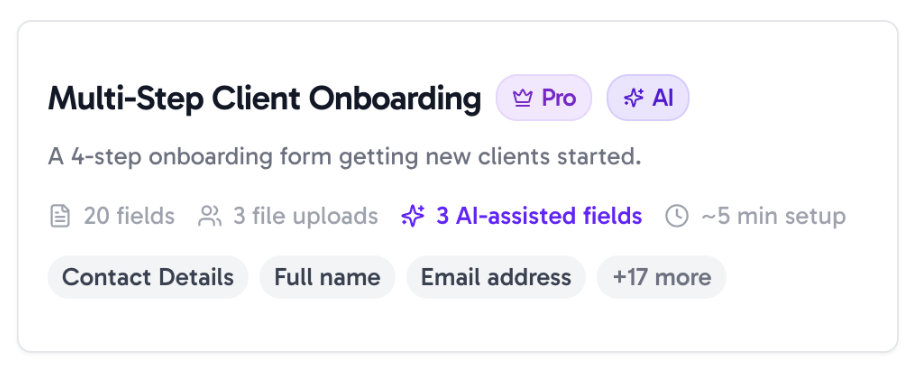
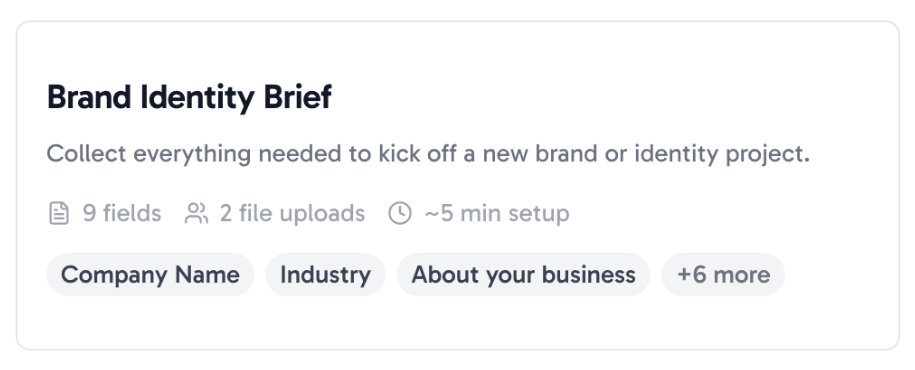
Start collecting in 60 seconds
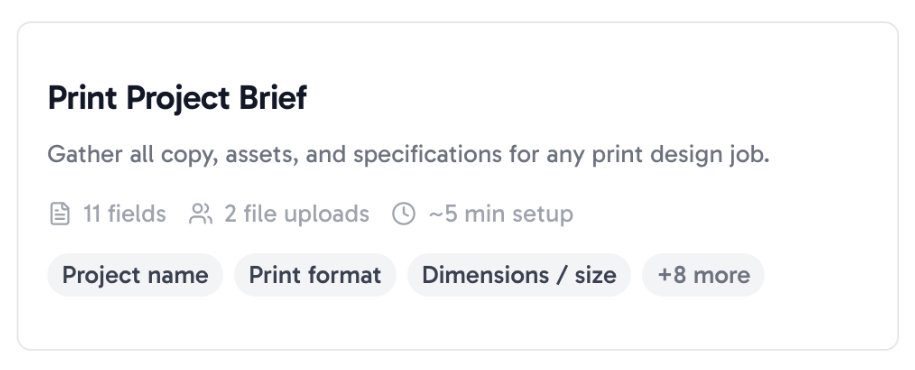
Launch faster with templates designed for real client workflows.
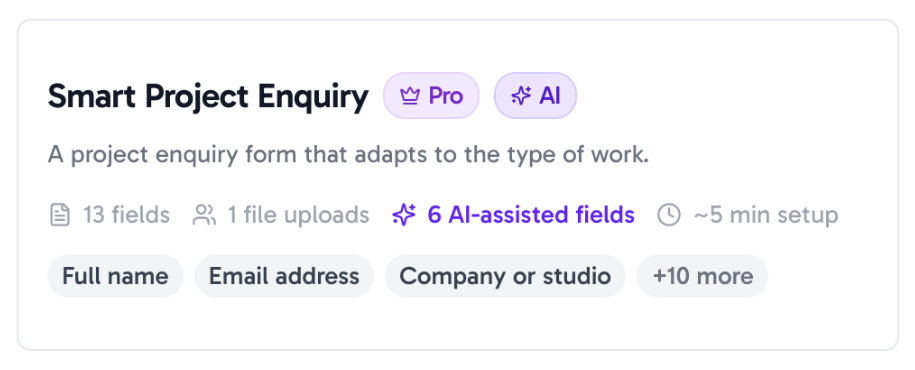
Forms that adapt to each client
Smart multi-step forms with intelligent conditional logic choices.
Seamless Integration
Works with your existing workflow
Other Tools
- Content scattered everywhere
- Clients get confused
- Files arrive incomplete
- Endless manual follow ups
- No clear approval process

- Webhook Integration
- Automatic reminders
- Clean, organized files
- AI Copy Assistant
- Client dropzone portals
ContentCatch has completely transformed how we collect client assets at RankHighUp.
As a web design agency, we used to waste so much time chasing clients for copy, images, logos, and approvals through endless emails. Now everything comes in through one simple, beautiful branded form.
It’s cut our content collection time drastically, projects move faster, and we can focus on designing websites.
I highly recommend it to any web design agency tired of content chaos. It’s a real game-changer.

Liam White
Owner of RankHighUp.com
Get Started for Free
Pricing that scales with your workflow
For freelancers, studios, and agencies.
Free
$0
/forever
- 1 active form
- 1 GB storage
- 10 MB max file size
- 20 submissions total
- Basic fields only
- Full ContentCatch branding
- 30-day data retention
Most Popular
Pro
$29
/month
- 10 active forms
- 10GB storage
- 250 MB max file size
- All file types
- 1,000 submissions/month
- AI writing assistant (100 credits/month)
- Multi-step forms (up to 10 steps)
- Conditional logic (up to 10 rules)
- Approve/reject workflow
- Full branding customisation
- Full template library
Agency
$56
/month
- Unlimited forms
- 100GB storage
- 10,000 submissions/month
- AI writing assistant (1,000 credits/month)
- Up to 5 Team Members
- Built-in Client Management
- Client Dropzone portals
- Scheduled form reminders
- Form embedding
- Webhook integrations
- Priority support
- Everything in Pro
Free
$0
/forever
- 1 active form
- 1 GB storage
- 10 MB max file size
- 20 submissions total
- Basic fields only
- Full ContentCatch branding
- 30-day data retention
Most Popular
Pro
$23
/month
$276 billed annually
- 10 active forms
- 10GB storage
- 250 MB max file size
- All file types
- 1,000 submissions/month
- AI writing assistant (100 credits/month)
- Multi-step forms (up to 10 steps)
- Conditional logic (up to 10 rules)
- Approve/reject workflow
- Full branding customisation
- Full template library
Agency
$44
/month
$528 billed annually
For large agencies and teams
- Unlimited forms
- 100GB storage
- 10,000 submissions/month
- AI writing assistant (1,000 credits/month)
- Up to 5 Team Members
- Built-in Client Management
- Client Dropzone portals
- Scheduled form reminders
- Form embedding
- Webhook integrations
- Priority support
- Everything in Pro
Free
£0
/forever
- 1 active form
- 1 GB storage
- 10 MB max file size
- 20 submissions total
- Basic fields only
- Full ContentCatch branding
- 30-day data retention
Most Popular
Pro
£24
/month
- 10 active forms
- 10GB storage
- 250 MB max file size
- All file types
- 1,000 submissions/month
- AI writing assistant (100 credits/month)
- Multi-step forms (up to 10 steps)
- Conditional logic (up to 10 rules)
- Approve/reject workflow
- Full branding customisation
- Full template library
Agency
£45
/month
- Unlimited forms
- 100GB storage
- 10,000 submissions/month
- AI writing assistant (1,000 credits/month)
- Up to 5 Team Members
- Built-in Client Management
- Client Dropzone portals
- Scheduled form reminders
- Form embedding
- Webhook integrations
- Priority support
- Everything in Pro
Free
£0
/forever
- 1 active form
- 1 GB storage
- 10 MB max file size
- 20 submissions total
- Basic fields only
- Full ContentCatch branding
- 30-day data retention
Most Popular
Pro
£19
/month
£228 billed annually
- 10 active forms
- 10GB storage
- 250 MB max file size
- All file types
- 1,000 submissions/month
- AI writing assistant (100 credits/month)
- Multi-step forms (up to 10 steps)
- Conditional logic (up to 10 rules)
- Approve/reject workflow
- Full branding customisation
- Full template library
Agency
£36
/month
£432 billed annually
For large agencies and teams
- Unlimited forms
- 100GB storage
- 10,000 submissions/month
- AI writing assistant (1,000 credits/month)
- Up to 5 Team Members
- Built-in Client Management
- Client Dropzone portals
- Scheduled form reminders
- Form embedding
- Webhook integrations
- Priority support
- Everything in Pro
FAQ
Have Questions?
How does ContentCatch work?
Build branded intake forms for the kind of content you need from clients, brand assets, copy, brief answers, whatever.
Simply send the link and your client fills it in and uploads everything. You can review, store assets and approve from your dashboard.
Do my clients need an account?
Nope. They click your link, fill in the form, hit submit. No signup, or login needed.
How does the AI Content Assistant work?
Ai Content Assistant means you get better copy for the website project. When your client writes a vague answer, they can click “Improve with AI” to get suggestions for making it clearer.
Pro gets 100 credits a month, Agency gets 1,000.
Can I brand the forms with my own logo and colours?
Yes! Drop in your logo, pick your colours, choose a font and swap the background.
How does the approval workflow work?
Review submissions in your dashboard → Approve, Reject (with reason), or Request Changes. Clients get auto-notified via email.
Statuses tracked (New → Reviewed → Approved/Rejected). Clients can view/edit their submission securely without logging in.
What types of files can my clients upload through a form?
Clients can upload images (PNG, JPG, WebP), vector files (SVG, AI, EPS), PDFs, and more.
File size limits depend on your plan. You get up to 10 MB on Free, 50 MB on Starter, 250 MB on Pro and 5 GB on Agency.
Can I build multi-step forms with conditional questions?
Yes. Pro and above support multi-step forms (10 on Pro and 20 on Agency) and conditional logic so questions only appear when relevant.
This keeps forms clean and makes the client experience much less overwhelming.
If you have more questions, just email support@contentcatch.io
We read every message.